It’s (semi) official. I share a bloodline with George W Bush. He’s my 19th cousin once removed. So. Very. Strange.
I’ve been using Geni for quite a while now after becoming slightly interested in Genealogy. I’m not sure what piked my interest to begin with, but I know what solidified it and it’s probably no news to you. Seems I might be descendant of royalty (ie: King Edward II aka LongShanks). I still haven’t found the direct link (just some woman named Mary listed as a ‘Descendent of’) to King Edward II but although unproven as of yet, I can trace back to the Aldrich Immigrant George Aldrich with a certain level of certainty.
Geni has been running a promotion recently for a 14 day free Pro account trial. About 2 weeks ago I figured what the heck, why not? I went for it and HOLY COW! The power of social media has truly been revealed to me.
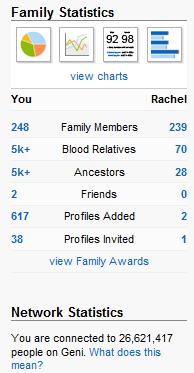 One of the key features of a Pro account is the ability to find similar profiles to those in your tree. I figured the best way to go about this is to go back as far as I can and see if there are any matches. Naturally I used the immigrant George Aldrich (born 1605) whom I also happened to recently find the last will and testament of. Wow did I find matches. Over 20 of them in fact, and after requesting merges with those that appeared to be identical matches, my tree began to grow at an astounding rate. You see, once you merge with someone else who is active, they begin requesting merges with others, who request merges with others and eventually you’ll likely know how you’re connected to everyone. Geni‘s own slogan is after all “Everyone’s Related”.
After two weeks of this (I’m now lacking a Pro account since the trial is up) my tree is ginormous. To be specific I’m now connected to over 26 million people (living and deceased) with over 5 thousand direct ancestors alone. It’s insane and the number keeps going up and up and up.
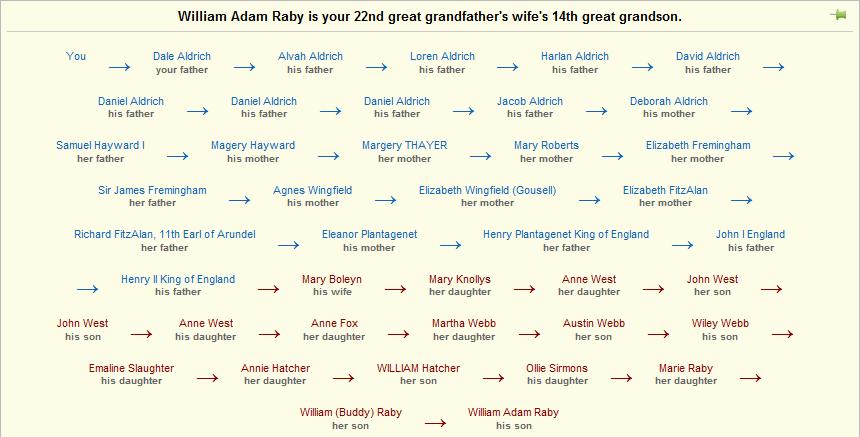
Sometimes all this connectedness and user driven content does have its downsides though. I just found out that George W Bush is my 19th Cousin Once Removed. We share blood. ugh. Unfortunately now that I lost my Pro Account I can no longer view the ‘path’ between us since he’s too distant and not a direct ancestor. They usually look a little something like this though:
This is all very cool and I’ve learned a ton about my family’s history. What’s really neat is you find other people out there that are more interested and have more information than you do. This is certainly one area that Social Media excels at.
If you even have a tiny interest in this stuff at all I highly recommend using Geni.com to get started, even if it’s just to get your immediate family into the site so others can find you. You never know, you might just inherit England.
 There are several reasons to get rid of your discs. This includes software you’ve purchased, backup discs, games, and even operating systems. I had two reasons to get rid of my discs. One was that the rack of discs was another piece of clutter in my home office. The other more important reason is CD’s and DVD’s have a shelf life. I recently pulled a disc from the rack and attempted to use it. It had no scratches or scuffs but was completely unreadable.
 Randy Aldrich