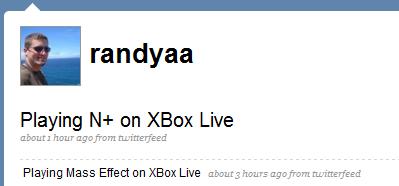
Post 360 Activity To Twitter

I use Twitter when I feel it’s appropriate my friends know what I’m doing.  When I’m playing a video game on my XBox 360 chances are it’s a multiplayer game and I might enjoy some company.

A few months ago Internet Duct Tape posted an article with several methods on how to obtain your XBox 360 activity.  I subscribed to their Yahoo Pipe for my gamertag.  I never really came up with any good way to use this but I finally have.  My XBox 360 activity (game activity only) now automatically updates my Twitter account.

XBox 360 Twitter Updates

To do this All I’m using is the Yahoo Pipe mentioned previously and TwitterFeed.  TwitterFeed allows you to update your Twitter status using any RSS feed and the pipe feed works just fine.

twitterfeed

Send a Kwiry From Your Cellphone

Kwiry Text LogoI hear and see things I want to remember all the time. I used the voice notes on my phone for a while but I always seemed to forget they were there. A few weeks ago I was thinking it would be great to be able to send a text message to store little things I think of throughout the day. I even tried writing an application that allows you to send text messages to Google Notebook. Unfortunately Google’s Data API doesn’t allow pushing data to Google Notebook so that was a bust.

A few days ago I found Kwiry which does exactly what I was looking for. Kwiry allows you to send a text message which is saved as a ‘kwiry’ (pronounced query) on their system. It then sends you a notification using any method you’d like including E-mail, SMS, RSS etc that you have a new saved kwiry. There is also a social aspect so you can see your friend’s kwiry’s and they can see yours. I find this feature completely useless and unwanted so I’ve disabled it by setting all my kwiry’s as private. Social networking doesn’t improve everything. Social networking is not a golden hammer even though most new services think it is.

Kwiry stores your texts in their system. Once they’re stored and you get notified (using whatever method you prefer) the links they provide send you to the Kwiry website itself which then gives you search results using your desired search engine.

I love Kwiry and it’s functionality but I’d much rather use it without logging into their system since the functionality it provides is really quite simple. To do this I’ve created a Yahoo Pipe that switches the links to point directly to the search engine of your choice. All you need is the base Search URL (Google’s would be http://google.com/search?q=) and the feed URL to your kwiry’s.

Use this Pipe to replace the links in your kwiry feed to your desired search engine.

Youtube Subscriptions via RSS

YouTube Subscription FeedYou’re probably aware of the subscriptions feature in YouTube. It allows you to ‘subscribe’ to users (or channels) who’s videos you enjoy. This means when you sign into YouTube you’ll get a list of videos updated by the users or channels you’re subscribed to.

This is great but unfortunately YouTube doesn’t provide any other subscription update notification systems besides logging into the site itself. For someone like me who doesn’t like to visit sites without a particular goal in mind this is annoying to say the least. I’d much rather know there is a new video I care about before visiting YouTube.

At first I thought YouTube simply didn’t support syndication of any kind. However; with a little bit of searching I found they have a whole list of different types of RSS feeds that are available. You can create an RSS feed for anything from a ‘tag search’ to the ‘Top Rated videos.’ They don’t yet have a way to create an RSS feed of your subscriptions. That’s where I come in.

I’ve used Yahoo Pipes to do things in the past but most of them were very custom and not usable to anyone but myself without quite a bit of effort. This time around I thought I’d make one that’s parameterizable to allow anyone to build an RSS feed of their subscriptions. I have created a pipe that does just that. You simply provide your username and the number of videos you want displayed in the feed. The Pipe does the rest and you can subscribe to it using any feed reader you’d like.

I’ve published it on Yahoo Pipes public page and you can now use it as well. So check it out and let me know what you think!

Yelp for Rochester

Yelp LogoA true Web service is only as good as it’s users make it. I just recently discovered Yelp and luckily they have a Rochester page. I have recently been trying to find a website that lists local restaurants along with ratings. Yahoo and Google business results return too many chains that aren’t of interest to me since they’re available anywhere. I’ve been looking for results that are more locally oriented such as the listings found within a Frommer’s guide.

Fortunately Yelp provides everything I’m looking for in restaurants and even has lots of extra categories such as Night Life, Beauty and Spas and Shopping. I was interested to find they also have a list of romantic restaurants which is always difficult to find in Rochester. In order of highest ratings these are the following Rochester romantic restaurants on Yelp:

  1. Rooney’s
  2. Oasis Mediterranean Bistro
  3. Tapas 177
  4. Lucano Ristorante
  5. 2 Vine
  6. Max of Eastman Place

The only one of these that Rachel and I have been to is Tapas (which was excellent and I’ll be sure to rate it thus). We haven’t even heard of any of the others. There are a few missing from this list, like the Triphammer Grill, that we have been to but it’s always great to find new ones.

If you’re looking for new restaurants or shops to check out, look no further than Yelp.

Social Network Update Overload

Social Network GraphDifferent Audiences see you in different places. I use lots of different services and for different reasons. For the purpose of this post I’ll use only Twitter Facebook and my blog. The number of people that see my ‘tweets’ on Twitter is significantly less than the number of people who see my blog posts. The number of people who see my blog posts directly is significantly less than those who see my Facebook updates. For this reason I have created synchronization points.

Facebook automatically imports my blog posts whenever there’s a new one. At the same time I use TwitterSync to synchronize my twitter updates with my Facebook status. The number of people my posts reach is far greater on Facebook than it is on my blog alone. Many of my friends on Facebook are not tech savvy and therefor are not into feed reading yet. In fact many of them rely on sites like Facebook to get them updates.

You probably think (like the Technology Evangelist) that this means that the people that subscribe to all these services are suffering from Randy Aldrich information overload. If you’re subscribed to each of the 3 different services without any modifications you’re probably right.

I suffered from the same problem. Some of my friends have many services and end up duplicating their content in more than one just like I do. Unfortunately sites like Facebook do not allow you to ‘ignore imported posts’ from certain users. Until that ability exists in the services which you use I suggest making use of Yahoo Pipes.

What I did was create a Pipe that imports my Facebook notes as well as several friend’s blogs. I then use the unique operator to weed out the duplicated posts and that’s it. It is really that simple. Simply combine all the feeds you need to filter through, and utilize the unique operator to filter out the duplicates.

Up my (feed) Arsenal

A while back I posted about feed 43 and Feed Rinse.  Since that time I’ve become even more of a feed junkie.  I find not having to go searching for information a monumental time saver, and as such I’ve let my subscriptions grow to well over 200.  Also I’d say I’ve become much more informed which may or may not turn out to be a good thing.  My weapon of choice is still Google Reader and while talking with my friend Matt I discovered he has been using bloglines.  We talked for a bit about the different features and I came to realize Google Reader is missing a few really nice things.  Since our brief chat I’ve found several new feed tools to enhance my tool set.  There are three features which Matt takes advantage of which I was unaware existed.

  1. E-mail feeds.  Use this feature to sign up for a newsletter which you want to receive but prefer to read in a feed format rather than E-mail.  It can also be used for any site which you don’t want to have your email address.  This is especially handy for those sites which block the ‘+’ operator in your E-mail address (which I wrote about here).
  2. Tracking Shipments.  Create a feed that directly links to your tracking number so you can keep ‘track’ of where it is and what it’s doing.
  3. Public feed sharing.  Let people know what you’re reading and where.  I recently wrote about using the shared items feature on Google Reader but that was just for individual items.  This brings it to a whole new level.  It can also be used to share your blogroll so you can provide an automatic blogroll list via feed.

Let me first tackle #1.  A few days ago I discovered Mail Bucket.  This handy website will create a feed out of any email address you send it.  They allow dots, dashes etc.  All you need to do is have E-mails sent to blurb@mailbucket.org and the feed for that E-mail address instantly available at mailbucket.org/blurb.xml.  Remember though, this is publicly available so make sure no sensitive E-mails are being sent there.

#2. Matt happened across Power Sellers Unite.  This site allows you to create a feed from a UPS or USPS tracking number.  This is something I had previously attempted to find but other sites had been blocked by UPS.  Let’s hope this one doesn’t anytime soon.

#3. This one turned out to be much easier than I had thought.  As it turns out you can make any folder in Google Reader public.  Thanks to Google Reader’s tagging/folder system this turns out wonderfully as any feed can exist in more than one folder.  Therefor you can keep them categorized as you wish, and simply add a feed to the ‘public’ folder (or in my case use the blogroll tag).

Another helpful site I happened across recently that can help you Up Your (feed) Arsenal is Yahoo Pipes.  This fancy little site might one day replace both Feed 43 and Feed Rinse and numerous others but for now it’s just a site to keep an eye on.